
Built for wrestling, by people who've run shows
Run your whole promotion from one website.
Sell reserved seats, run your box office and scan tickets at the door. Publish your roster, title history and training timetable from the same WordPress site.
- Ticketing, roster and academy in one suite
- Your branding, not ours
- Runs on WordPress and WooCommerce
What's in the box
Everything a promotion needs, in one suite.
Each part does one job well and they all share your branding and details, so there is nothing to wire together. Use everything, or only what you need.
Ringside Tickets
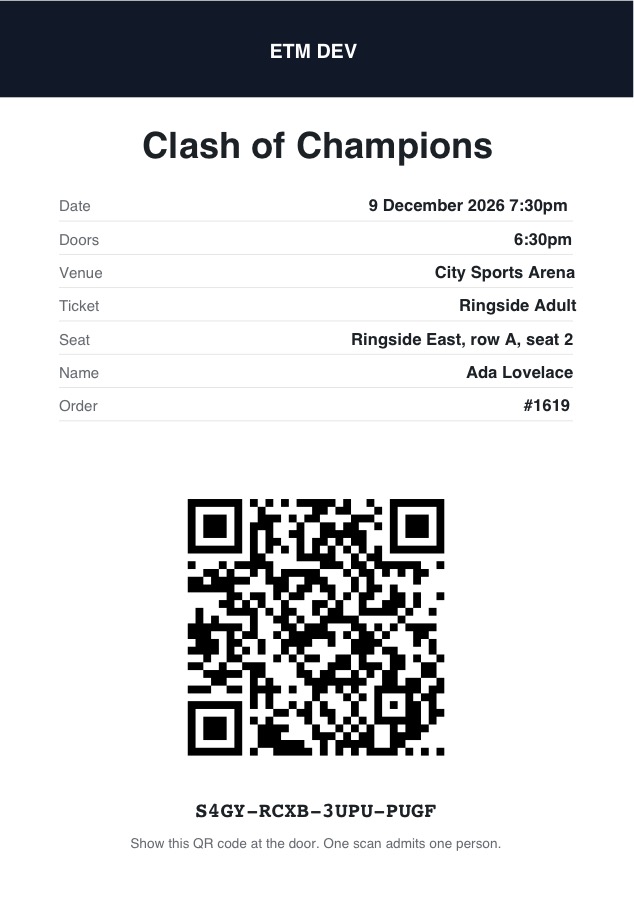
WooCommerce-native ticketing with reserved and general-admission seating, QR e-tickets, passes, a box office and door check-in.
Explore ticketing → 02 PluginRingside Roster
Wrestlers, tag teams, stables and staff. Championships with full title history. A match log that keeps records up to date.
Explore the roster → 03 PluginRingside Academy
A weekly timetable, one-off special events and student quotes as a grid or auto-moving slider. Brand-neutral.
Explore the academy → 04 ThemeThe Ringside theme
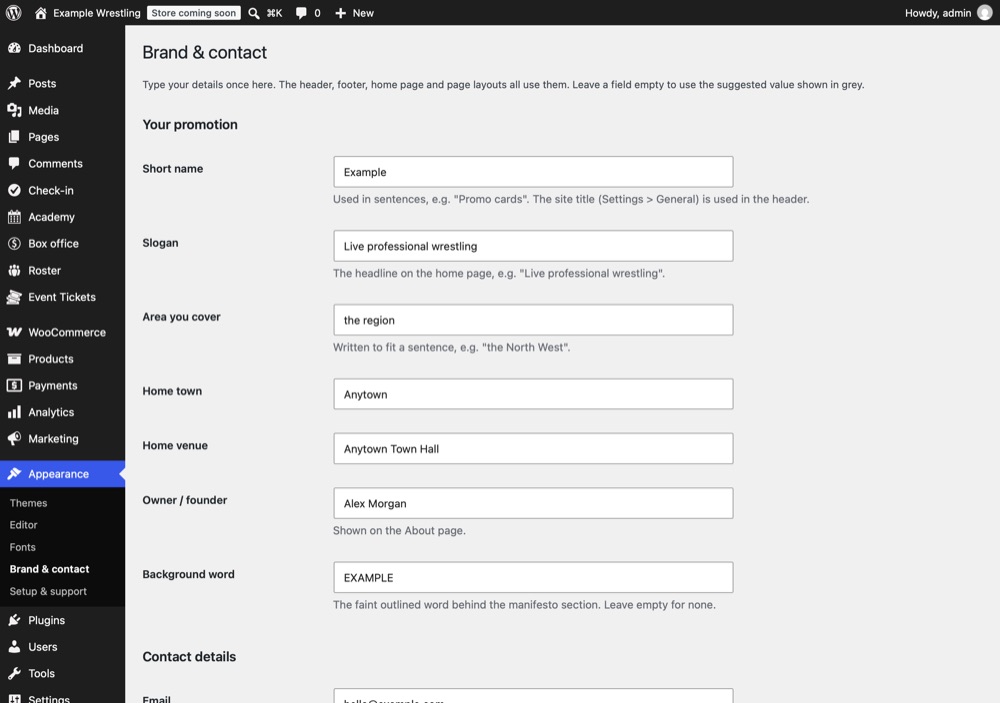
A dark, gritty design driven by theme.json. Your details live in one settings screen and flow to every page.
Plus a home screen. The Ringside Suite dashboard in your WordPress menu shows each part, whether it's switched on, and a short list of next steps with a link straight to the right screen.
Ticketing with a proper seat map.
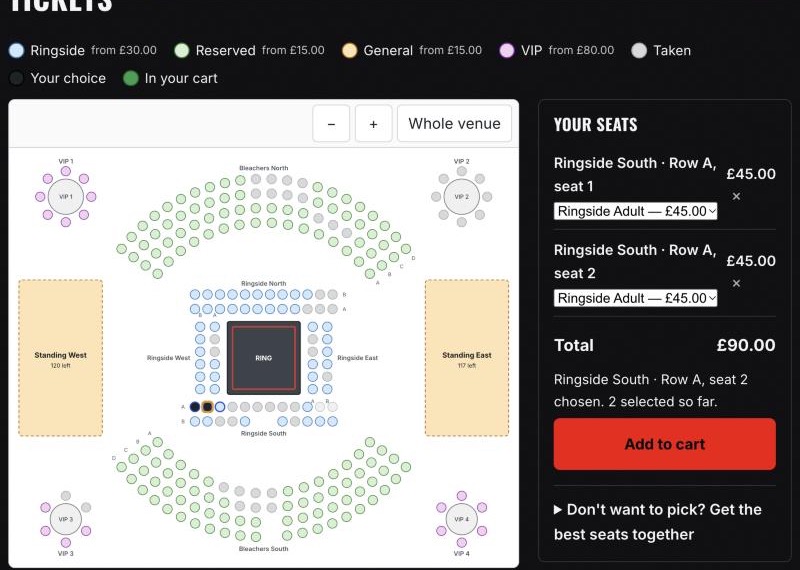
Fans pick their exact ringside seat. You see every sale, hold and scan.
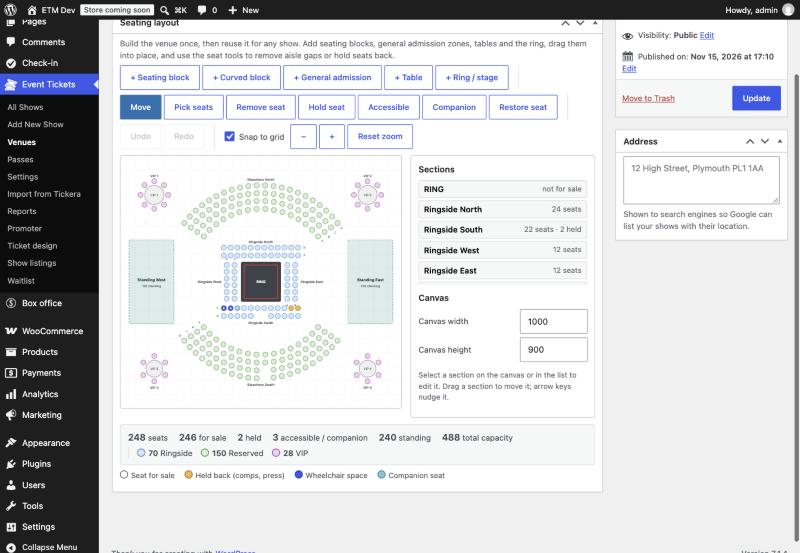
Venues you draw once, reuse forever
Build a layout with seating blocks, curved blocks, general-admission zones, tables, the ring itself, wheelchair spaces and seats held back for comps or press. Then reuse it for every show.
- Numbered rows and seats, GA areas, ringside rounds and VIP tables
- Different price bands per area, audience categories and VIP experiences
- Shared capacity: "100 tickets between General and Junior"
- Hold seats back, mark accessible and companion seats
A seat picker fans actually enjoy
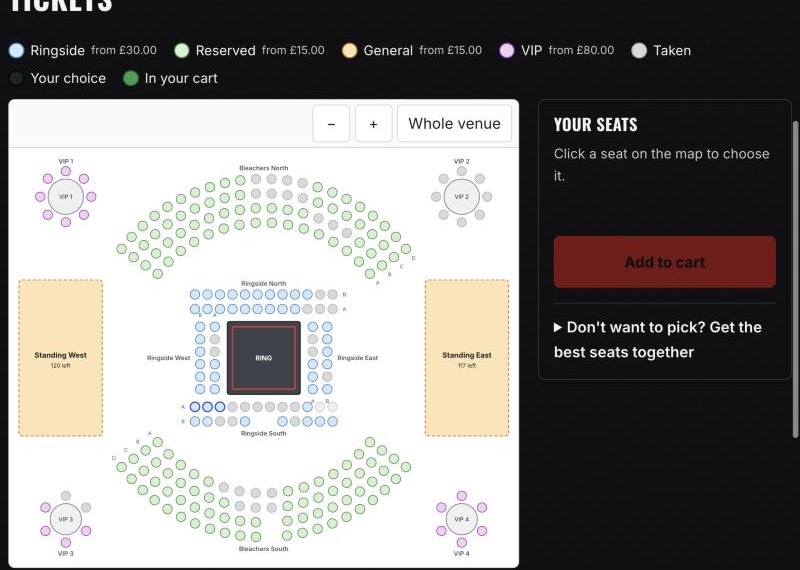
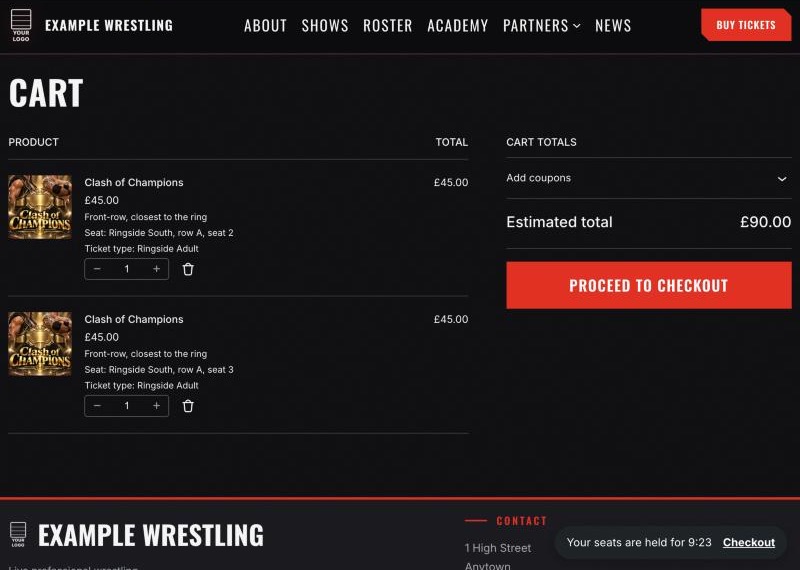
A hybrid picker that mixes reserved seats and standing areas, with zoom, a "best available" option and a timed hold while customers check out, so two people never buy the same seat.
- Timed, self-hosted seat holds during checkout
- "Best available" seating in one click
- Sold-out shows offer a waitlist form
- Season and multi-show passes
Box office and the door
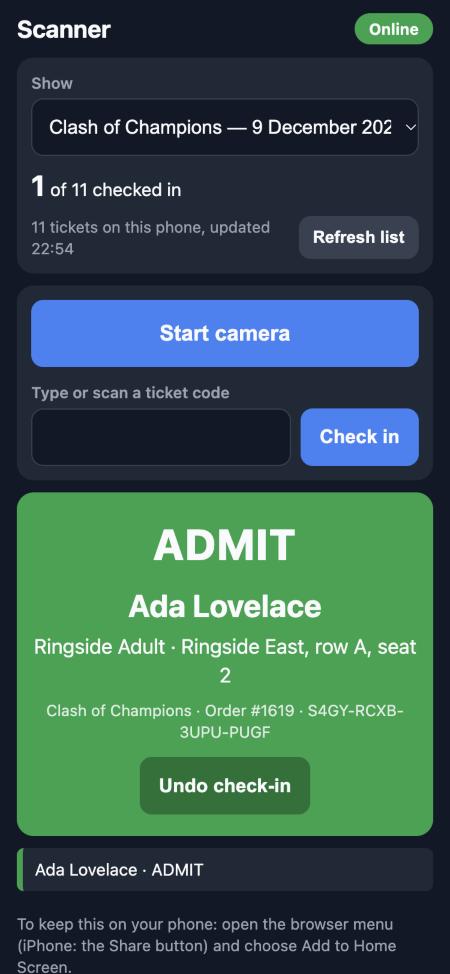
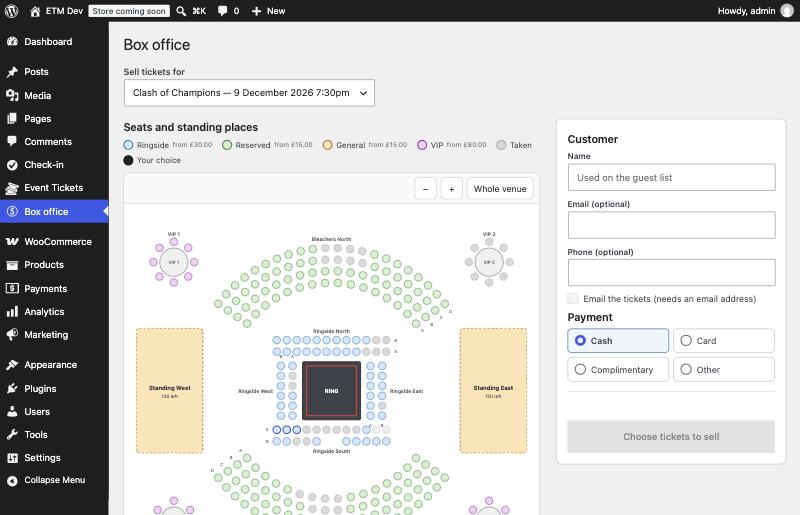
Sell cash, card or complimentary tickets from the same seat map at the venue. On the night, scan QR tickets with a phone.
- Box office with reprints, receipts and passes
- Phone scanner you install as an app: open it online to load the guest list, then it keeps scanning with no signal
- Branded PDF guest lists, grouped by ticket type with tick boxes, plus CSV and will-call exports
- Refunds and exchanges that release seats back to sale
Four ways to show your shows
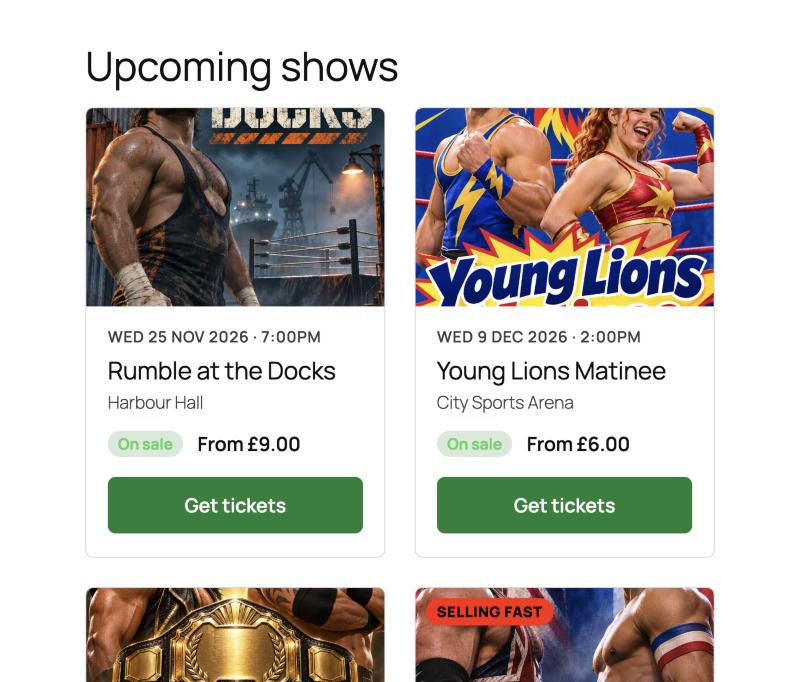
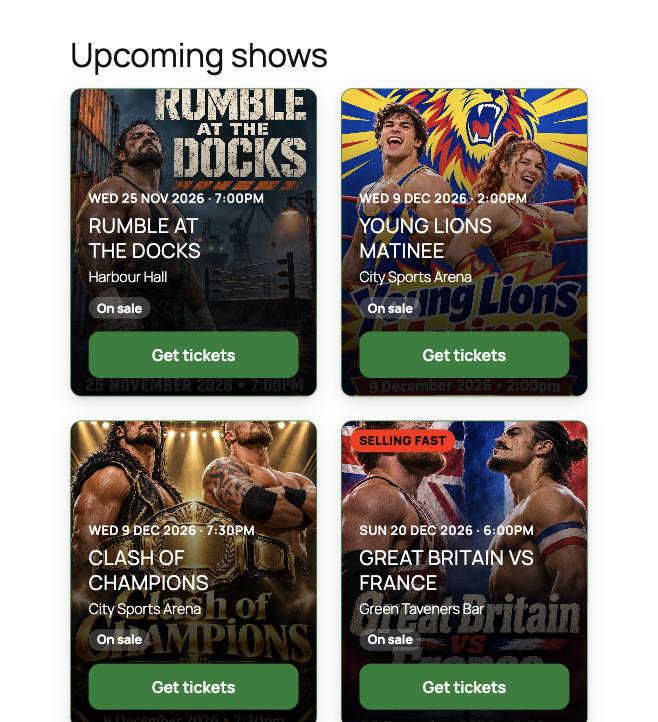
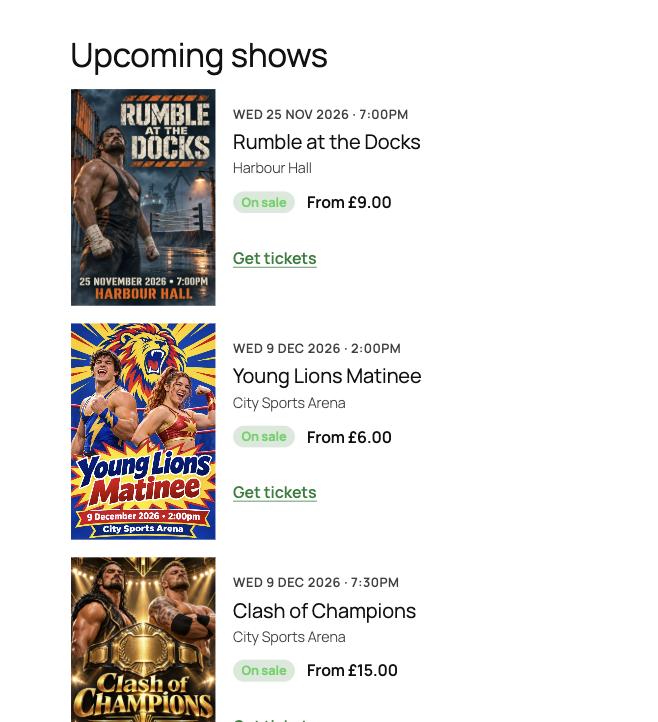
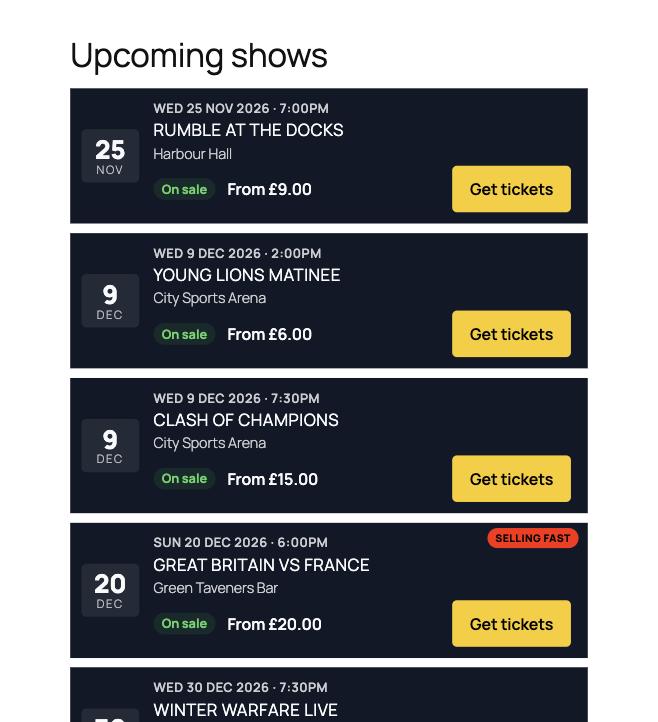
Pick a look for your listings in one click: standard cards, poster cards, a minimal list or a dark gig guide. Your posters do the selling.
Know exactly where you stand.
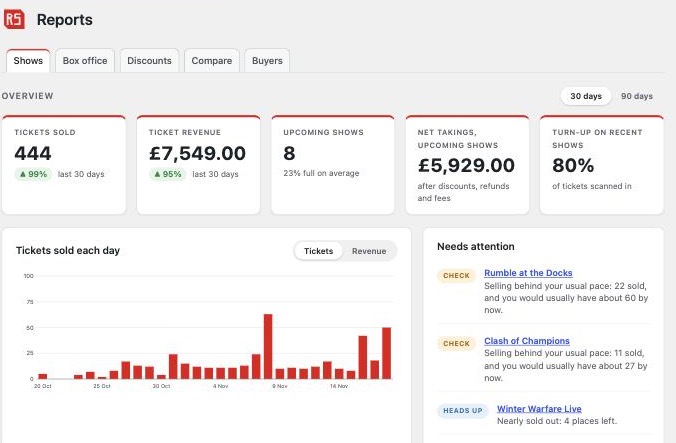
The reports a promoter actually needs, built in. No spreadsheets, no end-of-night guesswork.
Daily cash-up
Cash to bank, card takings and tickets sold, split by payment method and by member of staff. Print it for the till drawer.
Net takings per show
Ticket sales after discounts and refunds, plus any booking fee you charge, before tax. Payment-gateway charges are not deducted.
Venue and promoter settlement
Enter the deal terms once and get a ready-to-send statement showing what's payable, as a PDF.
Needs-attention alerts
See at a glance which shows are selling behind your usual pace, have no sales close to the date, or are nearly sold out.
Attendance and no-shows
Who turned up, who didn't, your busiest quarter hour and an arrivals chart from the door scanner.
Know your buyers
New versus repeat buyers, order sizes and your top buyers. Compare up to six shows side by side.
Your roster, your champions, your history.
A themeable public roster that updates itself as you log matches.
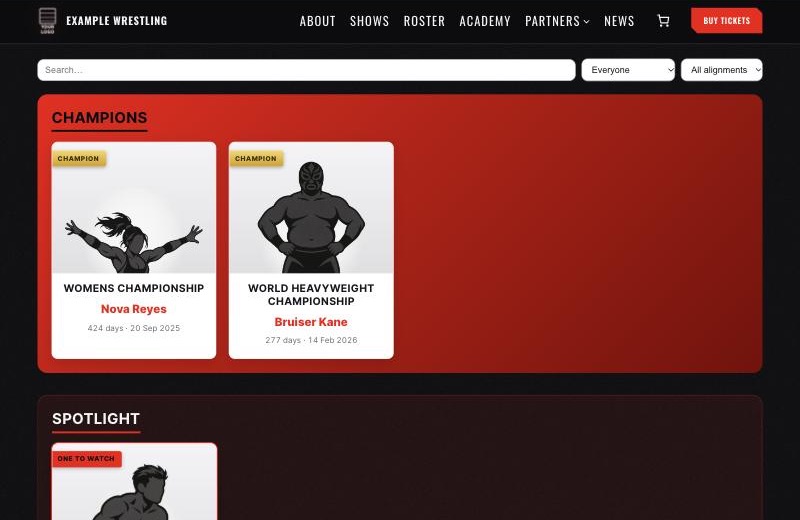
Everyone in the company
Wrestlers plus referees, managers, ring announcers, commentators, trainers and crew. Photo, bio, billed vitals, finishers, entrance theme, alignment, debut and social links.
Tag teams and stables
Group wrestlers with their own photo and description, and give each team and stable a public page.
Championships with lineage
Every reign recorded: champions, dates and days held. Singles and tag titles, shown in a champions showcase.
A match log that does the maths
Record who won and lost. Win/loss records update automatically, and a flagged title change adds a reign to the title's history.
Champion pop-ups
Click anyone to open their profile in a pop-up. Champions show their title, days as champion, date won and the belt, with next/previous and shareable links.
Filter and search
Fans search and filter by role, alignment or group. Current roster and alumni are kept apart.
Drop it in anywhere
Use the blocks, or a shortcode with plenty of options for layout, columns, section styles and champion cards. Choose a preset, or match your theme's colours automatically. Override any template from your own theme.
[wrestling_roster columns="4" per_page="12"]
[wrestling_champions champ_layout="banner"]
[wrestler id="123"]Fill your training school.
Your timetable and your students' voices, ready to publish.
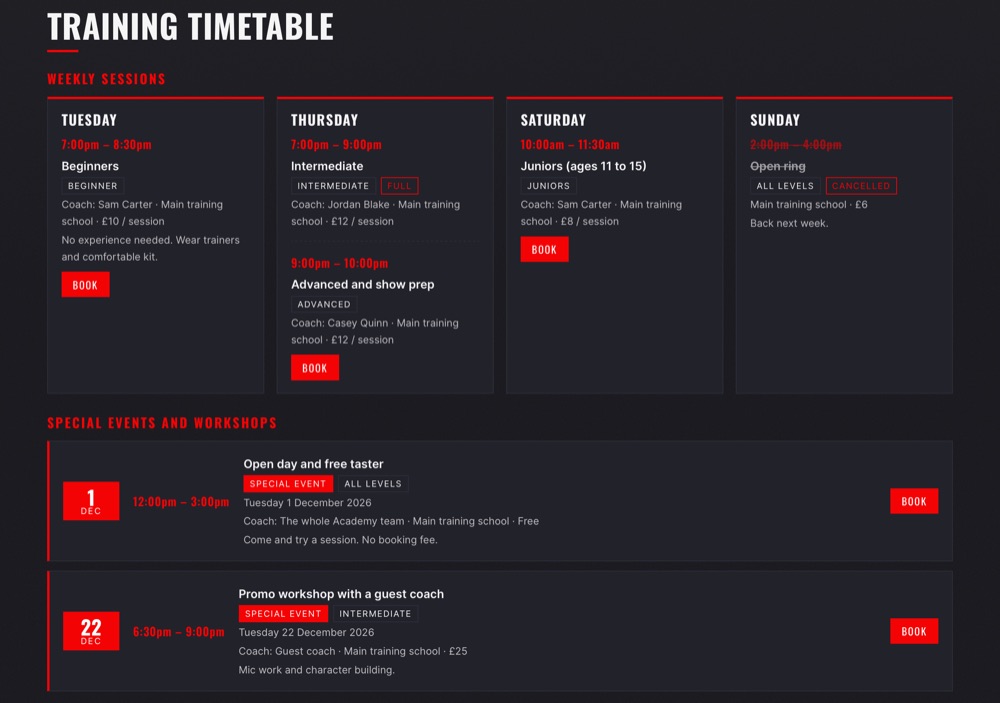
- Weekly sessions with day, time, level, coach, location, price and a booking link
- Status badges: Open, Full or Cancelled, shown clearly on the timetable
- Special events and workshops on a date, which drop off automatically afterwards
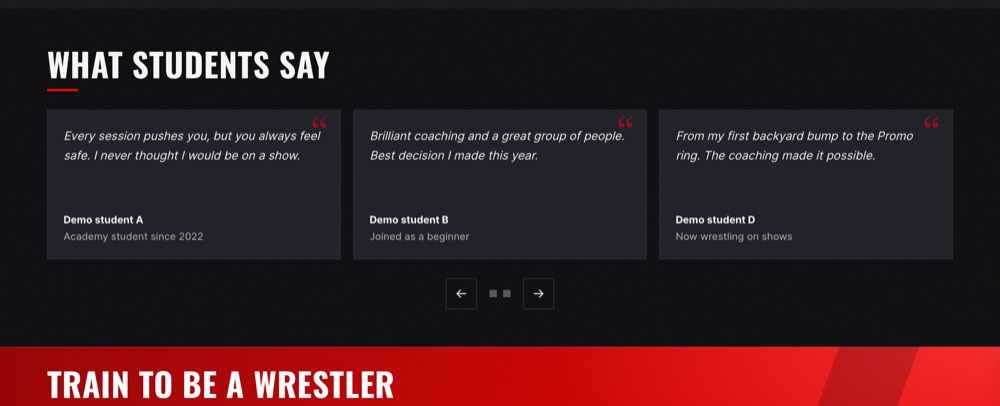
- Student quotes as a grid or a slider with arrows and dots
- Slider can auto-cycle, pauses on hover and respects reduced-motion settings
- Blocks and shortcodes:
[training_timetable]and[training_quotes]
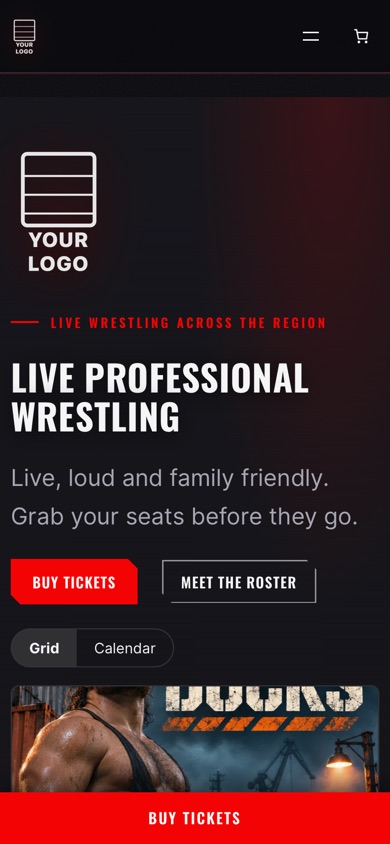
A dark, gritty design that's ready on day one.
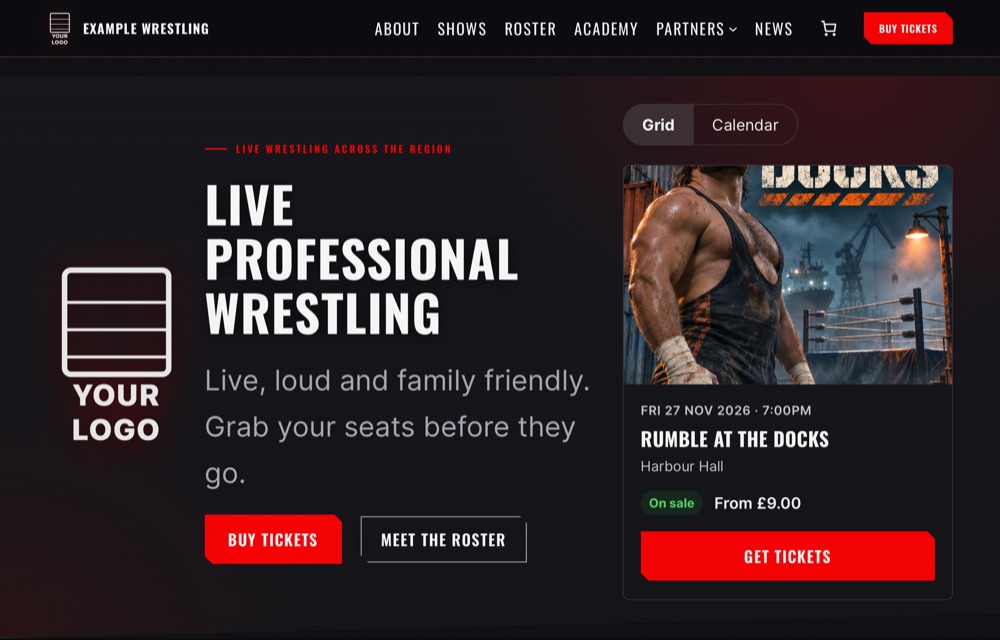
Built on WordPress block themes, so you change colours, fonts, menus and layouts in the Site Editor. One Accent colour drives every glow, gradient and button.
- Brand & contact: names, slogan, contact details, social links, header button and footer in one screen
- Ready-made layouts for Home, About, Academy, Sponsors and Venue hire
- Setup & support: a launch checklist that shows what's still missing
- Self-hosted fonts (Oswald and Inter by default, with Bebas Neue or Anton headlines as options), nothing fetched from Google
- Mobile-first, with a sticky Buy tickets bar on phones
- Single and archive templates for shows, wrestlers, teams and titles
- Five colour styles, switched in one click, with every button, glow and card following your choice
Why promotions choose it
Less admin. More shows.
Most promoters end up gluing together a ticketing plugin, a calendar, a page builder and a spreadsheet of wrestlers. This replaces the lot with one system that already understands how a wrestling promotion works.
Keep your ticket money
No per-ticket marketplace fees. Fans pay you directly through your own payment gateway, and the booking fee (if you want one) is yours.
Show night, sorted
The door scanner is a phone app that keeps working with no signal. Open it online before doors so it has the night's ticket list, then scan as normal and it syncs when the signal returns. The box office needs a connection.
Your fans, your data
Customers and orders live on your own website. Nobody else gets your mailing list or sits between you and your audience.
Pricing & setup
Simple to buy. Quick to set up.
There is no price list to decode. Tell us about your promotion and we'll send a simple quote.
How buying works
Email us with your venue size, how many shows you run and what you use now. We reply with a quote and answer any questions. If you only need one part, such as the roster, ask: each part works on its own.
What you get
One download with the five parts to upload (dashboard, tickets, roster, academy and theme), illustrated guides for each, and email support from the team that built it.
What you need
A WordPress site (6.5 or newer for the theme, 6.2 for the plugins) on PHP 7.4 or newer. Ticketing also needs WooCommerce, which is free and takes the payments.
Tested with WordPress 7.1, WooCommerce 11.3 and PHP 8.3, 8.4 and 8.5.
Getting started
From sign-up to first show in four steps.
You don't need to be a web developer. If you can post on social media, you can run this.
- InstallOne download, ready to upload. A Ringside Suite home screen then shows what is on and what to do next.
- Add your detailsYour name, logo, colours and contact details, entered once.
- Build your venue and first showDraw your seating plan, set your prices, and you're on sale.
- Sell and run the nightTake bookings online, sell at the door and check fans in from a phone.
How it compares
One system, not a patchwork.
General-purpose tools such as Tickera, Modern Events Calendar and Divi are capable products, but none of them was designed for a wrestling promotion. Getting the same result usually means buying several of them, paying for add-ons, and wiring them together yourself.
Worth knowing: this compares Ringside Suite with general-purpose tools such as Tickera, Modern Events Calendar and Divi as we understand them. Their features and prices change, so check current details before you decide.
| What you need | Ringside Suite | Typical patchwork |
|---|---|---|
| Ticketing with seat maps | Included | Ticket plugin plus a seating add-on |
| Box office and door scanning | Included. The door scanner keeps working with no signal | Often extra, or a separate app |
| Roster, champions and title history | Included | Not part of these tools: built by hand in pages or a spreadsheet |
| Training timetable and student quotes | Included | Another plugin or manual page edits |
| Website design | Matching wrestling theme, ready to go | A general theme or page builder you design yourself |
| Branded tickets, PDFs, emails, wallet passes | One Promoter screen feeds everything | Set up separately in each tool |
| Things to learn | One system, one guide | Several plugins, each with its own settings and updates |
| Licences to renew | One | Often one per plugin, every year |
Questions
Frequently asked questions
Straight answers to what promoters ask us most. Can't see yours? Ask us directly.
We're happy to talk through your promotion, your venue and what you need.
Email usDo I need to be technical?
No. It's designed for promoters, not developers. Every screen uses plain wrestling language, and there are illustrated guides and a launch checklist inside WordPress. If you can post on social media, you can run it.
What do I need to run it?
A WordPress website (version 6.5 or newer for the theme, 6.2 for the plugins) on PHP 7.4 or newer, which most hosts offer today. Ticketing also needs WooCommerce, which is free and takes the payments.
Can I just use part of it?
Yes. Use the lot, or only the parts you need. The roster and timetable don't need WooCommerce at all, and each piece works on its own.
Will it look like our promotion?
Yes. Your logo, name, colours and contact details appear across the site, tickets, PDFs, emails and wallet passes. The theme comes in five colour styles, with two optional headline fonts, and you can fine-tune any colour.
How do fans pay, and who gets the money?
Fans pay through your own WooCommerce payment methods, such as Stripe, and the money goes to your account. The suite doesn't add a per-ticket fee. Your payment provider's own charges still apply, and you can add a booking fee of your own if you want one.
Can fans choose their seats?
Yes. You draw your venue once with seating blocks, standing areas, VIP tables and the ring, and fans pick exact seats on a map. There's a Best available option, and seats are held while someone checks out so two people never buy the same one.
Can I sell tickets at the venue?
Yes. The Box office sells from the same seat map, for cash, card or complimentary tickets, and prints reprints and receipts.
What if the signal drops on show night?
The door scanner is a phone app that keeps working with no signal. Open it with a connection before doors so it can load the night's ticket list, then scan as normal: scans are kept on the phone and sent when the signal returns. Box office sales and online sales do need a connection.
What happens when a show sells out?
Fans can join a waitlist from the show page. You can also sell season and multi-show passes.
We already use Tickera. Can we switch?
Yes. There's an importer that brings across your upcoming shows, with their ticket types and seating charts. Tickets already sold in Tickera aren't recreated, so you'd keep Tickera to scan those on the night. The importer only appears in the menu when Tickera events are found on your site.
Who owns our customer data?
You do. Customers, orders and guest lists live in your own WordPress database, and seat holds are handled on your own site with no outside service.
Will it work with the theme we already have?
The plugins work with any WordPress theme, and the Ringside theme is built to go with them. We'd check your current theme first if you want to keep it, so get in touch.
How do I get support?
Email hello@ringsidesuite.co.uk and you'll hear back from someone who knows the product. Each plugin also has a Support link on the WordPress Plugins screen.
What does it cost?
Get in touch and we'll talk through your promotion and put together a simple quote. The Pricing & setup section above says what's included and what you need.
Why it exists
Built by people who've run the shows. Ringside Suite comes from CornishGeek's first-hand experience of running wrestling promotions and building their websites, and every feature on this page exists because a show night needed it.
Spend your time on the shows, not the website.
Tell us about your promotion and we'll show you how simple it can be.
hello@ringsidesuite.co.uk